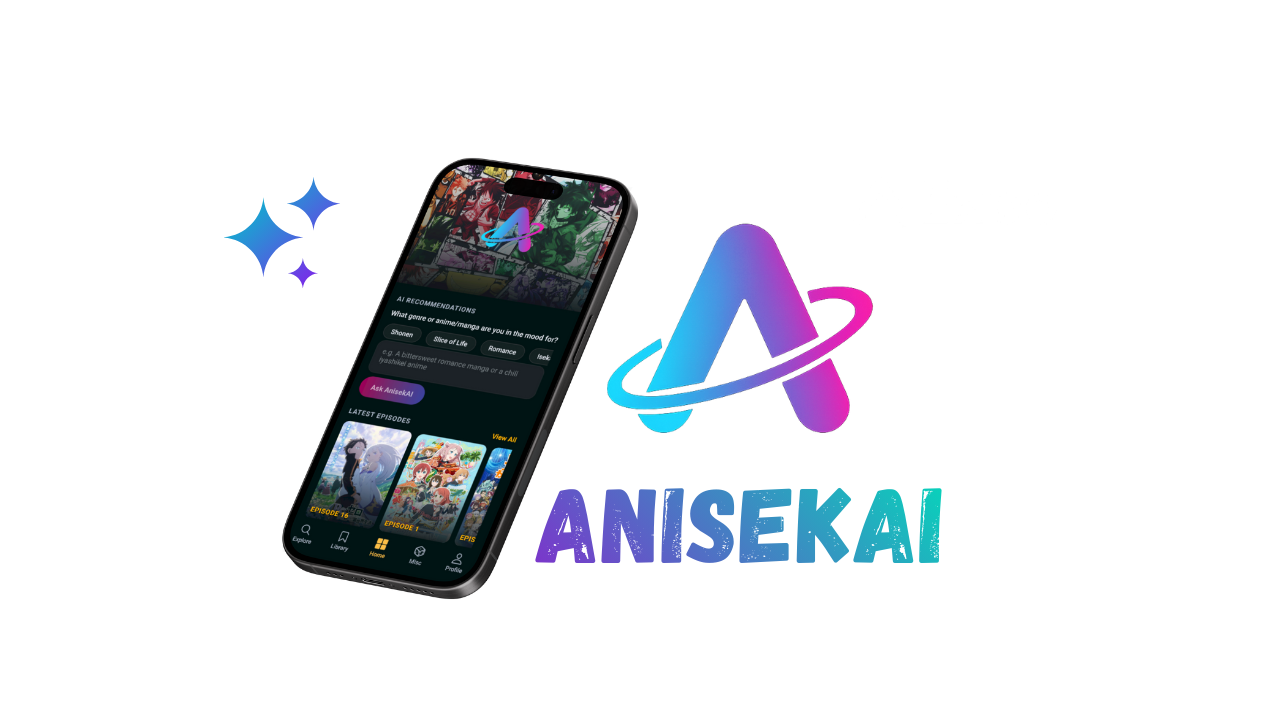
Anisekai
A mobile application Expo app that helps anime and manga fans discover titles, track progress, and explore AI-assisted recommendations through connected tabs, tools, and Convex-backed data.
Overview
Anisekai is a React Native application built with Expo Router (SDK 53 / React Native 0.79 / React 19) that helps anime and manga fans discover titles, track progress, and explore AI-assisted recommendations. The app combines:
- Client rendering with Expo Router, linear gradients, masked typography, and custom theming across iOS, Android, and web.
- State orchestration via
AuthContextandLibraryContext(seeapp/context). - Convex backend functions for registration, login, profile updates, and persistent library entries (
convex/functions/*.jswith schema inconvex/schema.ts). - External APIs for discovery (Jikan), AI concierge (Google Gemini), reverse image lookup (Trace.moe), waifu art (Waifu.pics), and streaming episodes.
- Feature-rich surfaces: onboarding, authentication, tab navigation, detail overlays, progress controls, and experimental utilities such as Scene Finder and Waifu Generator.
Features
Authentication & Onboarding (app/index.jsx, app/login/*)
- Hero landing (
app/index.jsx) usesMaskedView+ gradients to set the brand tone and route to/login/login. - Login form integrates
FontAwesomeicons, “Remember me” toggles, password reveal, Convexloginmutation, and a celebratoryWelcomeBanneranimation before redirecting to/(tabs)/home. - Registration validates unique usernames/emails via Convex
registermutation then routes to login. - Forgot password is currently a UI placeholder that surfaces alerts; link wiring is ready for future backend integration.
Personalized Home Hub (app/(tabs)/home/index.jsx)
- Hero block showcases the stack logo (
app/login/assets/anisekai.png), accent gradients, and CTA copy. - AnisekAI concierge uses Google Gemini 2.5 Flash via
src/data/geminiRecommendations.js, prompt chips, abortable requests, loading/error banners, andClearactions. Requests are gated onEXPO_PUBLIC_GEMINI_API_KEY. - Latest Episodes carousel pulls aggregated data from Jikan via
src/data/latestEpisodes.js, applies metadata caching + rate-limit handling, and links to/latest-episodesfor full-screen browsing. - All asynchronous flows expose meaningful empty/error states so the screen remains actionable offline.
Explore & Deep Search (app/(tabs)/explore/index.jsx, src/explore/*)
- Scope selector (
SCOPE_OPTIONS) toggles Anime, Manga, Characters, and Users. Every scope is cached inscopeDataCacheso returning is instant. - Section layouts are defined in
src/explore/scopeConfig.jsand rendered through specialized components withView Allexpansion, rank badges, and optional genre chips. - Search is powered by
useExploreSearch(debounced, cache-aware, abortable requests). Prefix hydration keeps short queries instant. - Detail overlay (
src/explore/components/ExploreDetailView.jsx) surfaces metadata, streaming links, and full synopses, and exposes add/update/remove actions wired touseLibrary. - Back handling cancels pending fetches, resets local state, and prevents stale detail modals.
Library Management (app/(tabs)/library/index.jsx, app/context/LibraryContext.jsx)
- Dual-scope (Anime/Manga) filtering, status chips, and search combine to surface the right entries quickly.
- Preview carousels expand into “View All” lists once a status bucket exceeds
VIEW_ALL_BUTTON_THRESHOLD. - Detail modals let users change status, increment/decrement watched episodes or read chapters, set ratings, toggle favorites, and remove entries. Inputs are validated before hitting Convex.
- Storage is centralized through
LibraryContext, which streams entries viaconvex/functions/library.listand exposes helper mutations (save,updateStatus,updateProgress,updateRating,remove,updateFavorites).
Profile & Activity (app/(tabs)/profile/index.jsx, app/(tabs)/profile/edit.jsx)
- Overview tab summarizes stats (mean score, progress), favorites (capped at six per scope), and an activity feed derived from the five most recent library updates.
- Anime/Manga tabs display stacked stats bars, favorites carousels, and full entry lists with progress indicators. Empty states adapt to signed-in vs guest contexts.
- Avatar tap navigates to
/profile/edit, where users can adjust username/email/avatar and preview uploads with fallbacks. Unsigned visitors are prompted to log in. - Logout button calls
useAuth().signOutand is automatically disabled for guests.
Streaming Surfaces (app/latest-episodes.jsx)
- Full-screen list fetches up to 20 episodes, shows load/error empty states, formats release dates, and opens external streaming URLs via
Linking. - Pressable rows feature thumbnails, fallback initials, and dynamic badges for episode numbers and release timing.
Tools & Experiments (app/(tabs)/miscellaneous/index.jsx, app/tools/*)
- Misc tab renders a two-column
FlatListof utilities with icons from Ionicons/MaterialCommunityIcons. Implemented actions route to/tools/waifu-generatorand/tools/scene-finder; other entries currently log placeholders to ease future rollouts. - Scene Finder (
app/tools/scene-finder.jsx) wraps Trace.moe. Users upload a screenshot throughexpo-document-picker, the app posts a multipart request with Axios, and results stream back with confidence badges, video previews (expo-video), timestamps, and AniList IDs. Errors, cancellations, and retries are handled gracefully. - Waifu Generator (
app/tools/waifu-generator.jsx) calls the Waifu.pics API, preserves a history of up to ten images, and can save results to the device viaexpo-file-system+expo-media-library(permission-aware).
Resilience & UX Patterns
- Every async flow provides
ActivityIndicatorfeedback, explanatory copy, and safe fallbacks for missing art or metadata. - AbortControllers clean up network work when leaving screens (Gemini prompts, Explore sections, Scene Finder uploads, etc.).
- Safe-area and tab-bar heights are considered across scroll containers to avoid clipped content.
Project Structure
.
├─ app/
│  ├─ _layout.jsx               # Root providers (Convex + Auth) and Stack
│  ├─ index.jsx                 # Landing hero
│  ├─ latest-episodes.jsx       # Modal stack screen for streaming feed
│  ├─ context/                  # Auth + Library providers
│  ├─ login/                    # Login, register, forgot-password screens
│  ├─ tools/                    # Scene Finder & Waifu Generator routes
│  └─ (tabs)/                   # Protected tab group (Explore, Library, Home, Misc, Profile, Edit)
├─ components/                  # Shared UI (e.g., WelcomeBanner)
├─ convex/                      # Convex schema, functions, and generated clients
├─ src/
│  ├─ config/                   # Env + API endpoint helpers
│  ├─ data/                     # Fetchers (Gemini, latest episodes)
│  ├─ explore/                  # Explore constants, components, hooks, utilities
│  └─ utils/                    # Cross-cutting helpers (e.g., resolveTitle)
├─ styles/                      # Theme tokens and per-screen StyleSheets
├─ assets/                      # Images, icons, splash art
├─ android/                     # Native project generated by Expo prebuild
├─ .env.local                   # Local environment overrides
├─ app.json                     # Expo configuration (name, icons, Convex URLs)
└─ package.json                 # Scripts and dependency manifest
Note:
package.jsonrefers tonpm run reset-project, butscripts/reset-project.jshas not been committed yet. Add it or remove the script before relying on it.
Tech Stack
| Area | Details |
|---|---|
| Core runtime | Expo SDK 53, React Native 0.79.5, React 19, expo-router typed routes |
| Navigation | Expo Router Stack + Tabs, @react-navigation/bottom-tabs for measurements |
| Backend & data | Convex client (convex/react), Convex functions for auth/library, Axios for HTTP helpers |
| UI & media | expo-linear-gradient, MaskedView, expo-image, expo-video, expo-blur, expo-status-bar, expo-symbols |
| State & context | Custom React Contexts (AuthContext, LibraryContext), local reducers, cached lookups, React hooks |
| External services | Google Gemini (generateContent), Jikan API, Trace.moe, Waifu.pics SFW endpoints |
| Tooling | ESLint 9 + eslint-config-expo, TypeScript 5.8 (types only), Convex CLI (npx convex dev), Expo CLI commands |
Getting Started
- Prerequisites
- Node.js ≥ 18 and npm ≥ 10.
- Expo CLI (
npx expo installhandled via package scripts). - Convex CLI (
npm install -g convex) if you plan to run functions locally.
- Install dependencies
npm install - Configure environment
- Copy
.env.localor create your own (see Environment Configuration). - Ensure
app.json→expo.extracontains valid Convex dev/prod URLs ifEXPO_PUBLIC_CONVEX_URLis absent.
- Copy
- Start Convex dev server
npx convex dev - Run the client
npm start # Expo start (interactive) npm run android # Device/emulator build npm run ios # Simulator build npm run web # Expo web preview - Lint
npm run lint
Environment Configuration (src/config/env.js, .env.local)
| Variable | Required | Default / Notes |
|---|---|---|
CONVEX_DEPLOYMENT | Optional | Used by Convex CLI to target deployments. |
EXPO_PUBLIC_CONVEX_URL | ✅ for production builds | Direct Convex URL. When omitted, app/_layout.jsx falls back to expo.extra.convexDevUrl/convexProdUrl. |
EXPO_PUBLIC_CONVEX_ENV | Optional | development/production toggle to pick the right expo.extra URL. |
EXPO_PUBLIC_JIKAN_API_URL | Optional | Defaults to https://api.jikan.moe/v4. Powers Explore + Latest Episodes. |
EXPO_PUBLIC_TRACE_API_URL | Optional | Defaults to https://api.trace.moe/search. Used by Scene Finder. |
EXPO_PUBLIC_WAIFU_API_BASE | Optional | Defaults to https://api.waifu.pics/sfw. Used by Waifu Generator. |
EXPO_PUBLIC_GEMINI_API_KEY | ✅ for AI concierge | Google Generative Language API key. Required for Home → Ask AnisekAI. |
Guidelines:
- Store secrets in
.env.local(ignored by git) and restartnpm startwhenever values change so Expo can re-read them. - When shipping to devices, prefer
EXPO_PUBLIC_CONVEX_URL;expo.extra.convexDevUrlis only bundled in dev clients.
Navigation & Screen Flows
Root Layout (app/_layout.jsx)
- Resolves Convex URL from env or
app.json, instantiatesConvexReactClient, and wraps the entire stack withConvexProviderandAuthProvider. - Throws clear errors when Convex URLs are missing to avoid silent failures.
Public Stack
/(app/index.jsx): marketing hero leading to login./login/login,/login/register,/login/forgot-password: authentication flows described above.
Tab Group (app/(tabs)/_layout.jsx)
- Wrapped by
LibraryProviderso all tab screens can access library data. - Tabs: Explore, Library, Home, Misc, Profile (each with Ionicons icons). Active color
#fcbf49matches theme tokens. - Scene container padding + custom background keep content above the floating tab bar even on devices with large home indicators.
Key Screens
- Explore (
app/(tabs)/explore/index.jsx): dynamic sections, search, detail overlay, library integration, abort controllers, and genre chips. - Library (
app/(tabs)/library/index.jsx): dual scopes, search bar, status filters, modals for status/progress/rating, favorites. - Home (
app/(tabs)/home/index.jsx): hero, AI concierge, latest episodes carousel + CTA to/latest-episodes. - Misc (
app/(tabs)/miscellaneous/index.jsx): grid of experimental tools. - Profile (
app/(tabs)/profile/index.jsx): overview, anime, manga tabs, favorites, activity, logout, and route to/profile/edit. - Profile Edit (
app/(tabs)/profile/edit.jsx): update username/email/avatar, guard guests, show loading states.
Modal / Auxiliary Routes
/latest-episodes(Stack screen) for expanded streaming list./tools/scene-finderand/tools/waifu-generatorfor standalone utilities.
Data & API Integrations
-
Convex
- Schema:
usersandlibraryEntriestables with indexes for efficient lookups (convex/schema.ts). - Auth functions (
convex/functions/auth.js):register,login,updateProfile. Password hashing is not yet implemented—use only in trusted dev environments. - Library functions (
convex/functions/library.js): list/save/update/remove entries, update favorites, and normalize progress/ratings server-side. - Sample
messagefunctions exist but require adding amessagestable before use.
- Schema:
-
Google Gemini (
src/data/geminiRecommendations.js)- Uses
gemini-2.5-flash:generateContentwith JSON-only responses. - Input prompts describe user mood; output is normalized, slugged, and sanitized before rendering.
- Errors differentiate between missing API keys, permission issues, and rate limits to provide actionable copy.
- Uses
-
Jikan API
- Explore sections call
/anime,/manga,/characters, and/usersendpoints withfetchJsonWithRetry(automatic retry/backoff). - Latest Episodes uses
/watch/episodes, caches metadata per MAL ID (metadataCache), detects HTTP 429s, and cools down for one minute to respect rate limits.
- Explore sections call
-
Trace.moe
- Scene Finder posts multipart/form-data using Axios. Responses include AniList IDs, timestamps, similarity scores, and signed video URLs previewed with
expo-video. - Permission/picker errors show friendly toasts.
- Scene Finder posts multipart/form-data using Axios. Responses include AniList IDs, timestamps, similarity scores, and signed video URLs previewed with
-
Waifu.pics
- Simple GET endpoints per category. History prevents duplicates and a download button streams files to
FileSystem.documentDirectorybefore creating assets viaexpo-media-library.
- Simple GET endpoints per category. History prevents duplicates and a download button streams files to
-
Other integrations
- Expo’s
LinkingAPI opens external streaming URLs. expo-media-librarypermissions gating ensures downloads respect user consent.
- Expo’s
State Management & Data Flow
-
AuthContext (
app/context/AuthContext.jsx)- Stores the current user, provides
signIn,signOut,updateProfile, andsyncFavorites. - Normalizes avatars/favorites to avoid duplicates and stray whitespace.
- Stores the current user, provides
-
LibraryContext (
app/context/LibraryContext.jsx)- Streams entries with
useQuery(api["functions/library"].list)whenever a user is logged in. - Wraps Convex mutations for saves, status/progress/rating updates, removal, and favorite synchronization.
- Maintains
entriesById,favoriteEntryIds, helper selectors, and guard rails (e.g., ignoring invalid MAL IDs).
- Streams entries with
-
Explore caches
scopeDataCachestores previously loaded sections per scope.useExploreSearchcaches responses per query/prefix and deduplicates in-flight requests viapendingSearches.
-
Latest episodes metadata cache
metadataCacheavoids redundant metadata fetches and gracefully backs off when hitting rate limits.
-
Abort controllers & cleanup
- AI prompts, Explore details, Scene Finder uploads, and latest episode fetches attach controllers and call
abort()on unmount/back navigation to prevent memory leaks.
- AI prompts, Explore details, Scene Finder uploads, and latest episode fetches attach controllers and call
Styling & Theming
- Central palette, spacing, typography, radius, and shadow tokens live in
styles/theme.jsand feed into per-screen StyleSheets (e.g.,styles/homeStyles.js,styles/profileStyles.js,styles/tools/waifuGeneratorStyles.js). - Gradients rely on
expo-linear-gradientfor hero text, CTA buttons, and overlays. - Images and cover art use
expo-image(LibraryMediaCard, Explore details) with caching + transitions. - Vector icons (
@expo/vector-iconsIonicons andMaterialCommunityIcons) communicate scope, actions, and statuses. - Safe areas:
useSafeAreaInsetsanduseBottomTabBarHeightkeep content visible on devices with notches/gestures.
Development Workflow
| Command | Description |
|---|---|
npm start | Launch Expo CLI with interactive platform chooser. |
npm run android / npm run ios | Build & run on a connected device/emulator (requires native toolchains). |
npm run web | Serve the app via React Native Web. |
npm run lint | Run ESLint with Expo config. |
npx convex dev | Start Convex function server locally. |
Notes:
- Configure
.env.localbefore runningnpm start; Expo only loads env vars at launch. - If you create the missing
scripts/reset-project.js, document its behavior and ensure it is idempotent. - Keep Convex dev server running while exercising any screen that hits backend mutations (login, library updates, profile edits).
Testing & Quality
Current status:
- No automated unit or E2E tests exist yet. Manual regression is required for feature work.
- ESLint enforces many correctness issues; run
npm run lintbefore committing.
Recommended next steps:
- Add Jest and @testing-library/react-native for critical components (e.g., Library modals, Explore detail view).
- Introduce lightweight contract tests for Convex functions using the Convex testing harness.
- Provide end-to-end smoke coverage via Detox or Maestro for login → add to library → view profile flows.
Accessibility & Performance Considerations
- Buttons and chips use generous hit slop and
activeOpacityfor tactile feedback. ScrollView/FlatListpadding accounts for safe areas to prevent hidden content.- All destructive actions (removing library entries, resetting Scene Finder) require explicit taps, reducing accidental loss.
- Loading states rely on
ActivityIndicatorplus descriptive text for screen reader clarity. - Heavy requests (Jikan sections, Gemini prompts, Trace uploads) are debounced or cached to minimize rate-limit hits and keep UI responsive.
- Media downloads request permissions at runtime and surface alerts when denied.
Deployment & Build Notes
app.jsondefines app metadata (icons, adaptive icons, splash screens, bundle identifiers, runtime version policy, typed routes,expo-videoplugin).- Switch between Convex environments by updating
EXPO_PUBLIC_CONVEX_ENVor editingexpo.extra.convexDevUrl/convexProdUrl. - For production builds, use
eas buildorexpo run:ios|androidto produce distributable binaries. Ensure secrets are provided viaeas secretor environment variables on CI. - OTA updates respect Expo’s
runtimeVersionpolicy tied to the SDK version; ensure clients are upgraded when bumping SDKs.
Troubleshooting
- “Convex backend URL is not configured”: Set
EXPO_PUBLIC_CONVEX_URLor ensureexpo.extra.convexDevUrl/convexProdUrlexist. Seeapp/_layout.jsx. - AI concierge disabled: Confirm
EXPO_PUBLIC_GEMINI_API_KEYexists and that the Generative Language API is enabled for your project. Restart Expo after editing.env.local. - Jikan API 429 errors: The latest episodes fetcher backs off for 60 seconds. Wait or reduce
limitbefore retrying. - Scene Finder upload fails: Verify
EXPO_PUBLIC_TRACE_API_URL, check that the selected document is an image, and confirm device network access. - Waifu download errors: Ensure media library permissions are granted; the UI will prompt but users can also enable access in system settings.
- Library changes not persisting: Confirm Convex dev server (
npx convex dev) is running and that your.envpoints to it. Check logs for schema mismatches. - Missing
reset-project.js: Either add the script underscripts/or remove the npm command to avoid confusion.
Roadmap & Future Enhancements
Derived from design discussions and docs.md reflection:
- Implement secure password hashing and production-ready auth flows (including email validation and password reset).
- Expand library filters (sorting, tags, shared lists) and support social features (view other users, follow friends).
- Complete the forgot-password backend flow and add email notifications.
- Add offline caching plus background sync for Explore sections and latest episodes.
- Surface push notifications when new tracked episodes drop.
- Enrich Explore with more scopes (studios, staff) and community data.
- Build out the placeholder tools (Anime Quotes, Meme Feed, AI News) currently stubbing
console.log.
Contributing
- Fork or branch from
main. - Create/update
.env.localwith your own API keys—never commit secrets. - Run
npm run lintand exercise critical flows (login, Explore → add to library, Home AI prompts, tools). - Update this documentation when adding/removing screens, APIs, or environment requirements.
- Open a pull request describing changes, testing performed, and any migrations (Convex schema, env variables, assets).
License
This project is released under the MIT License. Review the license before redistributing or incorporating the code into other projects.